
VS Code
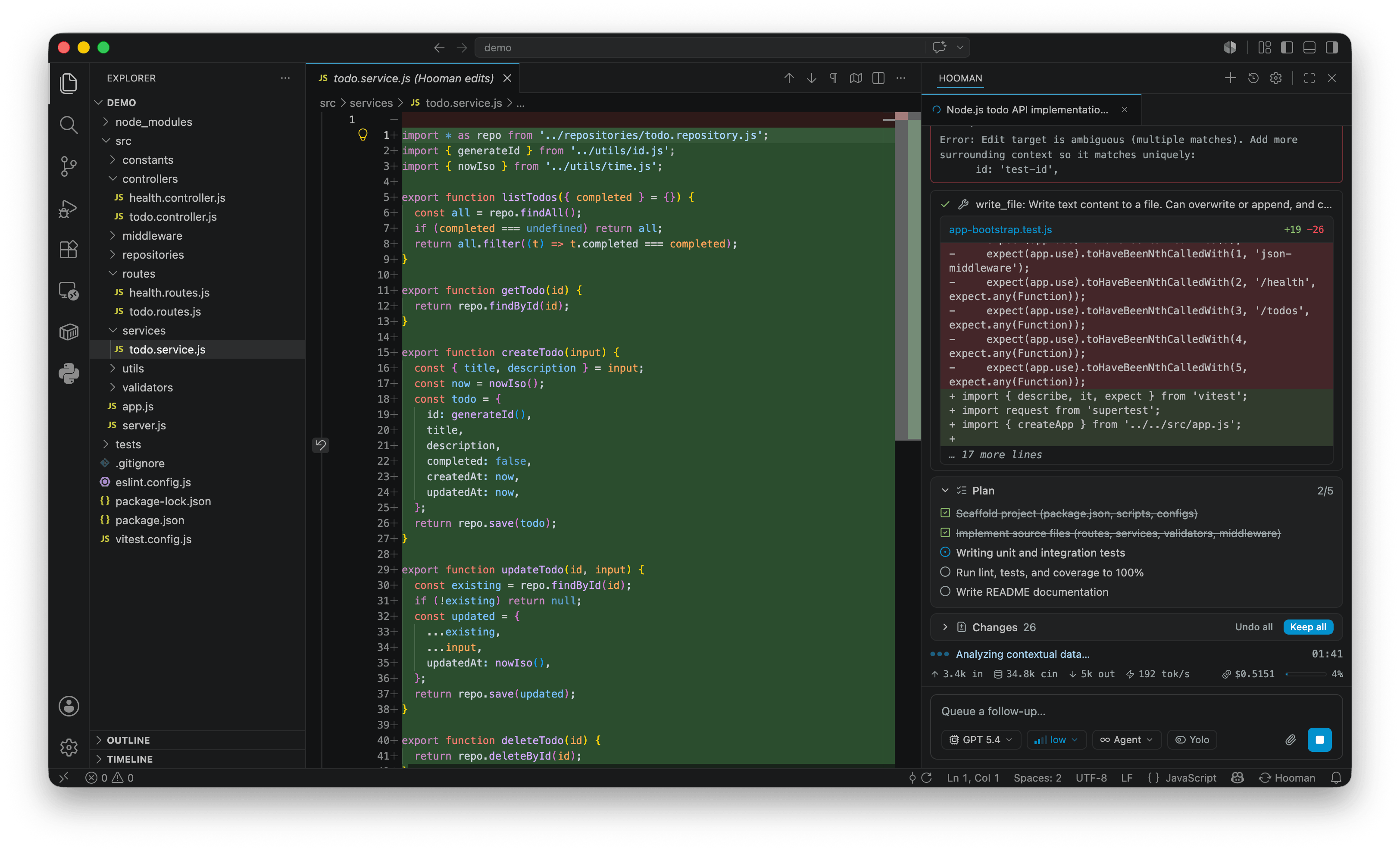
hoomanjs-vscode adds a native Hooman chat panel to VS Code’s activity bar, backed by hooman acp. Same full-stack runtime as the CLI: modes, MCP, skills, Design mode, BYOK / custom endpoints. Works in stable VS Code, VS Code Insiders, and compatible forks — no proposed APIs, no special subscription. Local-first: configuration, API keys, and sessions live in ~/.hooman on your machine.
Requirements
Section titled “Requirements”- Node.js
>= 24—npxships with it and is all the extension needs to launch the agent. It downloadshoomanjson first use.
Install the extension
Section titled “Install the extension”Get it from the VS Code Marketplace.
Or install it without leaving your editor — open the Command Palette (Cmd/Ctrl+Shift+P) and run:
ext install VPZ.hoomanjs-vscodeOr from a terminal, if the code CLI is on your PATH:
code --install-extension VPZ.hoomanjs-vscodeFirst run
Section titled “First run”- Click the Hooman icon in the activity bar. If
~/.hooman/config.jsonis missing, the panel opens a setup wizard (same flow as the CLI):- pick an inference provider and enter credentials (validated against the provider)
- pick a search provider (DuckDuckGo needs no key; others are validated with a test search)
- write
config.jsonwith the available chat LLMs for that provider
- After setup, chat opens automatically. The extension spawns
npx hoomanjs acpfor you — no separate CLI install required. - Explore the panel: streaming markdown and Mermaid, tool-call cards, a pinned Changes panel with diff/keep/undo, plan checklists, fork/copy on each turn’s final reply, turn revert, and slash commands.
Setup defaults to local llama.cpp so you can start without an API key; on Apple Silicon you can choose MLX. Hosted providers are in the same wizard. Later, use Open Settings… (gear icon) or hooman config / hooman setup for changes. See Configuration and Models.
Next steps
Section titled “Next steps”- VS Code guide — full feature list, commands, settings, troubleshooting, and building from source.
- ACP — how the extension talks to the agent.
- CLI quickstart — prefer a terminal instead?