
Design
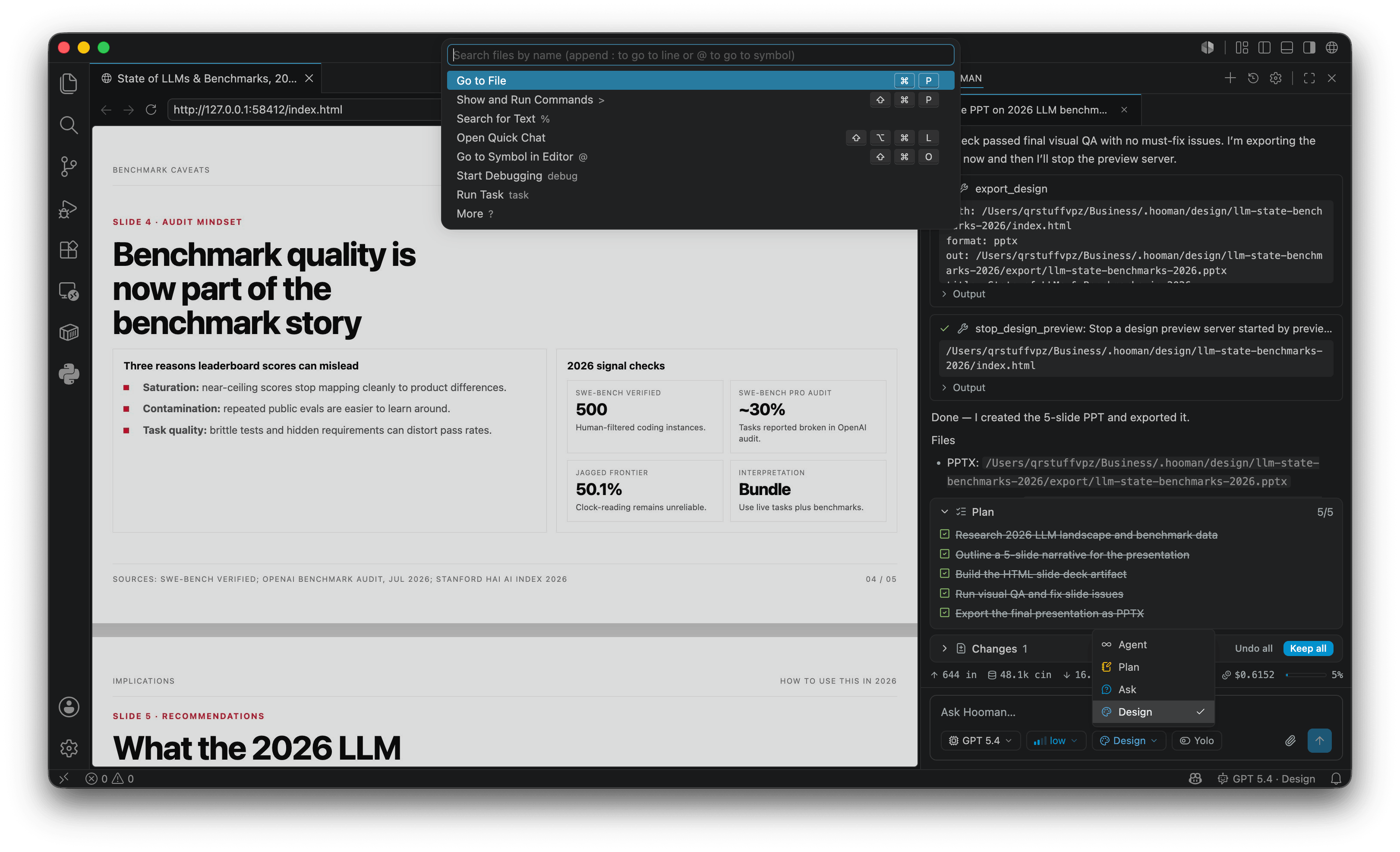
Design mode turns Hooman into a local design studio with a strict phased workflow: intake (brand / fresh / reference) → clarify → pick a shell (5 best-fit + other) → pick a theme (or honor DESIGN.md) → build → preview + visual QA → your review → choose export format → export → then stop preview. Craft + brand rules and delivery export (PDF, PowerPoint-ready .pptx, Figma-ready .fig / .deck, Sketch-ready .sketch) are all part of that loop — a first-class surface of the same full-stack agent, not a bolt-on.
hooman chat --mode designOr switch with /mode → design in chat / VS Code.
The mode prompt requires activating the built-in hooman-design skill before the first design write.
Brand: DESIGN.md
Section titled “Brand: DESIGN.md”Like AGENTS.md, Hooman walks from the git root down to the cwd and injects any DESIGN.md files into the system prompt (32k budget, deepest wins). Put brand tokens and rules in DESIGN.md at the repo root (or a nested package). Do not use .hooman/DESIGN.md for this.
When no DESIGN.md exists, design mode asks you to pick from the skill’s best-fit directions (directions.md) rather than auto-picking, and can copy tokens from assets/tokens/<direction>.css.
Artifacts
Section titled “Artifacts”.hooman/design/<slug>/ index.html # required entry assets/ # optional reviews/ # screenshots from export_design format:images export/ # PDF / .pptx / .fig / .deck / .sketchPick a shell
Section titled “Pick a shell”Bundled HTML starters live in the hooman-design skill assets/ folder. Read the matching file before inventing structure.
| Shell | When to use |
|---|---|
prototype-shell |
Generic one-pager / early exploration |
landing-shell |
Marketing landing: nav, hero, feature grid, footer |
pricing-shell |
2–3 plan comparison with featured tier |
auth-shell |
Sign-in / sign-up (include error + pending slots) |
contact-shell |
Contact / sales inquiry form |
newsletter-shell |
Newsletter / product updates subscribe |
waitlist-shell |
Early-access waitlist |
settings-shell |
Product settings: side nav + form panel |
dashboard-shell |
Ops / metrics console (dark by default) |
deck-shell |
Slide deck with top/body/bottom chrome ([data-slide]) |
email-shell |
Transactional email (~600px canvas) |
empty-state-shell |
Zero-data panel + primary CTA |
onboarding-shell |
Multi-step wizard with progress |
article-shell |
Long-form editorial / blog post |
data-table-shell |
Dense tabular list (deployments, invoices, …) |
dialog-shell |
Modal confirm / destructive action |
mobile-frame-shell |
Phone-width app UI inside a device frame |
resume-shell |
One-page CV / resume (print-friendly) |
business-card-shell |
Digital business card (compact contact face) |
invite-shell |
Event invite with when/where + RSVP |
flyer-shell |
Single-sheet promo flyer / handout |
Direction token packs: assets/tokens/<id>.css — editorial-ink, swiss-grid, night-console, warm-atelier, fintech-clear, signal-mono, soft-product, harbor-navy, paper-mono, botanical-calm, midnight-editorial, copper-ledger.
Design-only tools (hidden in agent / ask / plan — switch with switch_mode first):
| Tool | Args (summary) | Role |
|---|---|---|
preview_design / stop_design_preview |
path (HTML entry) |
Hot-reload localhost preview (VS Code Simple Browser or OS browser). Auto-approved when path is under .hooman/design/ |
export_design |
path, format (images / pdf / images-to-pdf / pptx / figma / figma-deck / sketch), optional out / title |
images → reviews/ for visual QA; delivery formats write under <html-dir>/export/ by default. Auto-approved when path is under .hooman/design/ |
Also available in design mode (and every other mode):
| Tool | Role |
|---|---|
launch_subagent (kind: "design-review") |
Read-only craft/brand/a11y + pixel review (reads screenshots with binary: true) |
Design mode has no shell, create_directory, or move_file — switch to agent for those. Prefer launch_subagent with kind: "design-review" for visual QA (other kinds are available but outside the design workflow). edit_file / edit_multiple_files operations under .hooman/design/ are auto-approved in design mode (same as preview/export for that tree).
PDF and image-based delivery formats need Chromium once:
npx playwright install chromiumMark deck slides with data-slide so export paginates correctly. Read the skill craft files layout-overflow and deck-slides before building fixed-frame decks.
Delivery formats
Section titled “Delivery formats”| Format | Tool / format | Output |
|---|---|---|
export_design format: "pdf" |
Chromium print PDF under export/ |
|
| Images→PDF | export_design format: "images-to-pdf" |
Pages stitched into a PDF |
| PowerPoint | export_design format: "pptx" |
PowerPoint-ready .pptx |
| Figma | export_design format: "figma" |
Figma-ready Design .fig |
| Figma Slides | export_design format: "figma-deck" |
Figma-ready Slides .deck |
| Sketch | export_design format: "sketch" |
Sketch-ready .sketch |
Workflow
Section titled “Workflow”Design mode follows a fixed sequence (see the skill’s references/workflow.md):
- Intake —
ask_user: brand notes only, start fresh, reference images, or other. Honor an injectedDESIGN.mdwhen present. - Clarify — audience, surface, must-have content, constraints (more
ask_useras needed). - Template — offer the 5 best-fit shells + Other / custom; read the chosen shell before building.
- Theme — use
DESIGN.md, or offer the 5 best-fit directions + Other / custom. - Build — write
.hooman/design/<slug>/index.html. - Preview + internal QA —
preview_design(keep open) →export_design(format: "images") →launch_subagentkind: "design-review"(binary-read every shot) → fix Must-fix (≤2–3 rounds). - Human review —
ask_userto look at the live preview and accept or request changes. - Export —
ask_userfor format (figma/figma-deck/sketch/pdf/pptx/ …) →export_design. - Stop preview —
stop_design_previewonly after delivery export (or you decline export / end without shipping).