The full-stack agentic ecosystem.
Hooman is the mature, open-source agent runtime for teams that refuse lock-in — CLI, VS Code, ACP, daemon channels, and Design mode on one stack. Run local with llama.cpp & MLX, bring your own keys, or point at your own inference endpoints.
Open source
MIT · audit everything
Local-first
setup · llama.cpp · MLX
BYOK
Your keys · your inference
Enterprise
No telemetry · full control
One runtime. Every surface.
Terminal, VS Code, and any ACP client share the same local config, sessions, skills, and approvals.

Terminal
hooman setup for first-run config, hooman chat for a stateful Ink-powered TUI, hooman exec for one-shot prompts, and hooman daemon for channel-driven automation.
Explore the CLIVS Code
A native chat panel in the activity bar: streaming markdown and Mermaid, tool-call cards, background terminals, Changes with diff/keep/undo, plan checklists, and turn revert.
VS Code extensionACP clients
hooman acp runs Hooman as an Agent Client Protocol agent over stdio for Zed and any other ACP-compatible editor.
About ACPCLI
hooman chat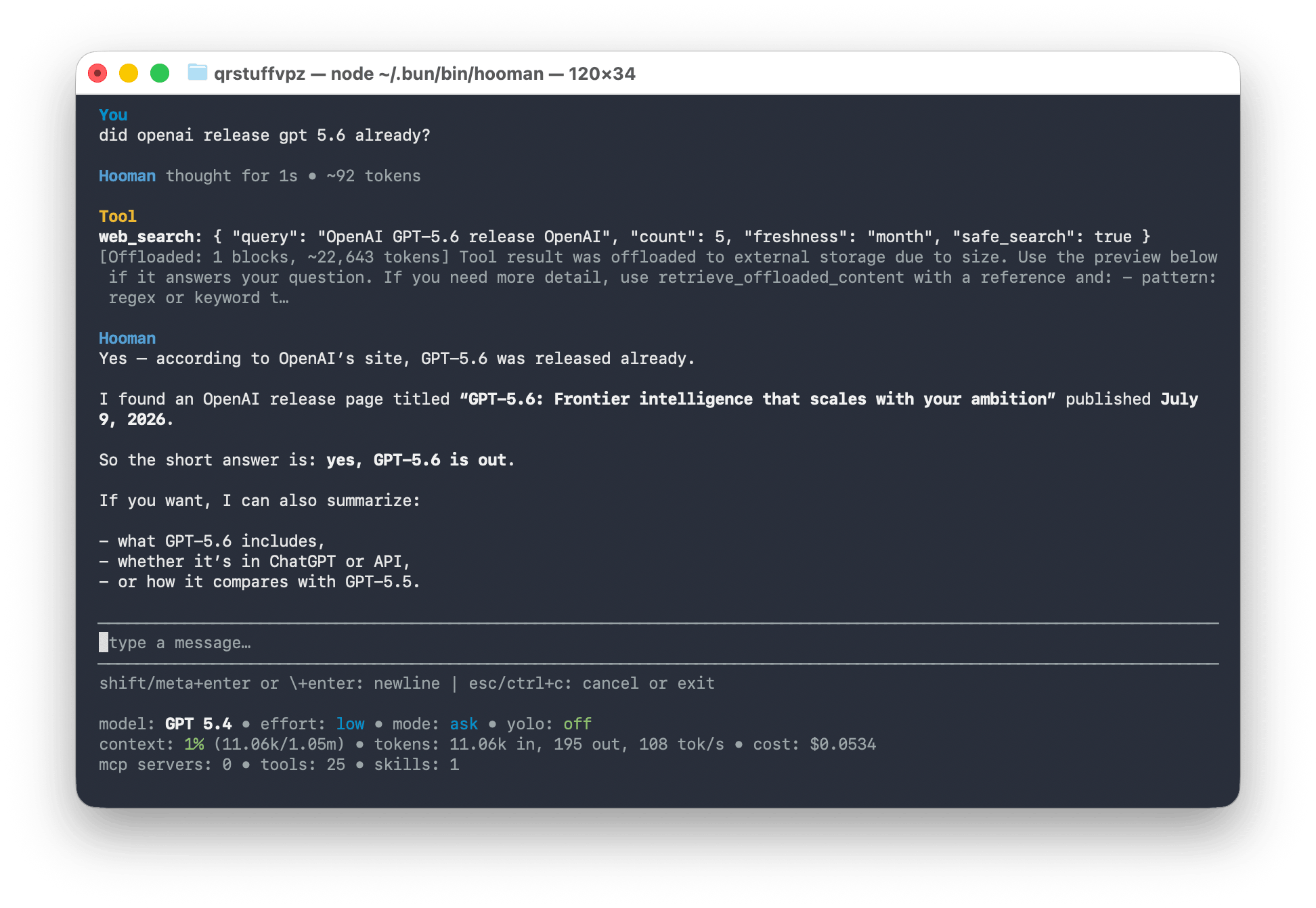
Slash commands
/model/mode/effort/sessions/tasks/compact/confighooman setupFirst-run inference + searchhooman chatStateful Ink TUIhooman execOne-shot for scripts & CIhooman daemonChannel-driven automationVS Code
hooman acp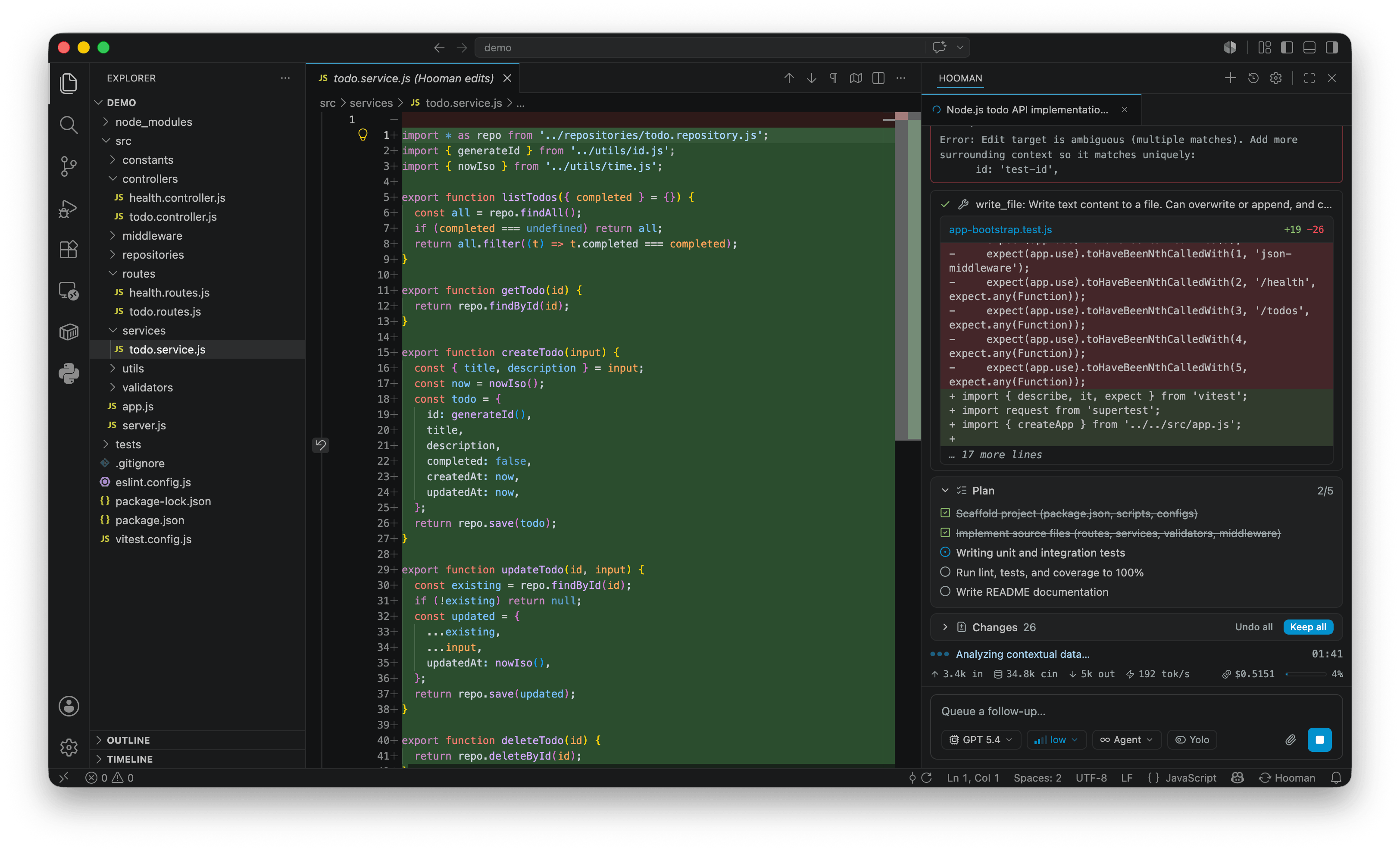
Streaming chat
Markdown, Mermaid, collapsible reasoning
Tool cards
Shell, edits, search — stop background jobs
Changes
Per-file diffs · Keep all · Undo all · revert
Plan & pickers
Pinned checklist · model · mode · effort · Yolo
Design is a first-class agent mode
Most agents stop at code. Hooman ships a local design studio — HTML under.hooman/design/, craft rules, live preview, and export to PDF, PowerPoint-ready.pptx, Figma-ready.fig /.deck, or Sketch-ready.sketch. Same runtime. Delivery-ready artifacts.
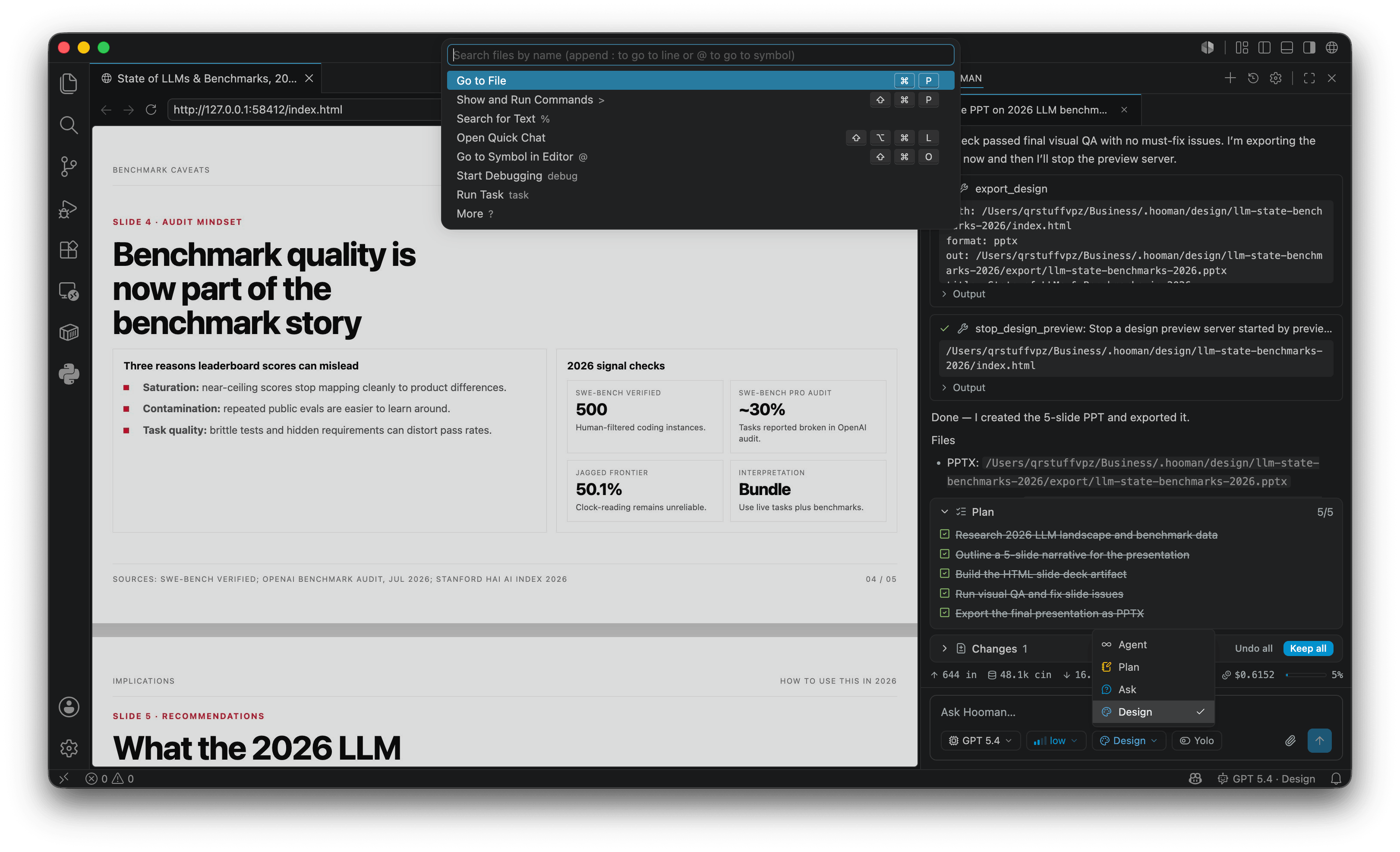
Live preview, right beside chat
A hot-reload localhost view opens beside the panel — iterate on HTML while the agent keeps working.
Craft shells & DESIGN.md
Start from landing, deck, dashboard, and more. Brand tokens walk in from DESIGN.md the same way AGENTS.md does.
Visual QA, then ship
Screenshot reviews, a dedicated design review pass, then ship PDF, PowerPoint-ready .pptx, Figma-ready .fig / .deck, or Sketch-ready .sketch.
Export to
$ hooman chat --mode design
Most-featured by design
Not a thin chat wrapper — a full agentic stack with modes, MCP, skills, subagents, and delivery exports.
Four agent surfaces
Stateful chat TUI, one-shot exec, channel-driven daemon, and ACP for editors — one core, every workflow.
Design mode
HTML under .hooman/design with DESIGN.md, craft shells, live preview, and export to PDF, PowerPoint-ready .pptx, Figma-ready .fig / .deck, or Sketch-ready .sketch.
MCP + OAuth
stdio, streamable-http, and sse — with DCR and CIMD OAuth, lazy tool discovery, and optional Playwright browser automation.
Skills & modes
Built-ins plus ~/.hooman/skills and project .hooman/skills. Agent / Plan / Ask / Design modes with a separate Yolo toggle.
Subagents
Read-only research, code review, quality analysis, and design-review subagents that keep the main thread focused.
Human in the loop
Destructive tools need approval by default across chat, exec, and ACP. Yolo auto-approves — except switch_mode.
Your models. Your endpoints.
Thirteen providers today — including local llama.cpp and MLX — plus OpenAI-compatible base URLs for private inference. One reasoning-aware config shape across the stack.
Search when you need it.
Built-in web_search with DuckDuckGo on by default — no API key — plus Brave, Exa, Firecrawl, LiteLLM, Serper, and Tavily when you want a paid or proxied provider.
Enterprise-friendly
Built for teams that need control, not another cloud agent.
Licensing, data residency, and model choice are first-class — not afterthoughts bolted onto a freemium chat.
Configure models & endpointsMIT licensed, fully auditable
No SaaS tax on the runtime. Fork it, vendor it, ship it inside your perimeter — the agent stack is yours.
BYOK or your own endpoints
Anthropic, OpenAI, Azure, Bedrock, OpenRouter, and more — or point OpenAI-compatible base URLs at private gateways and vLLM clusters.
Local by default
llama.cpp GGUF and Apple Silicon MLX presets download on demand. Zero API keys required to start coding.
No account. No telemetry.
Keys, sessions, skills, and MCP config live under ~/.hooman (and optional .hooman/ overlays). Nothing phones home.
Channels turn chat into infrastructure
hooman daemon subscribes to MCP servers that advertise the hooman/channelcapability — schedulers, tickets, Slack, Telegram, WhatsApp — and runs the same agent with the same approvals. Agentic ops without a hosted control plane.