
Plan
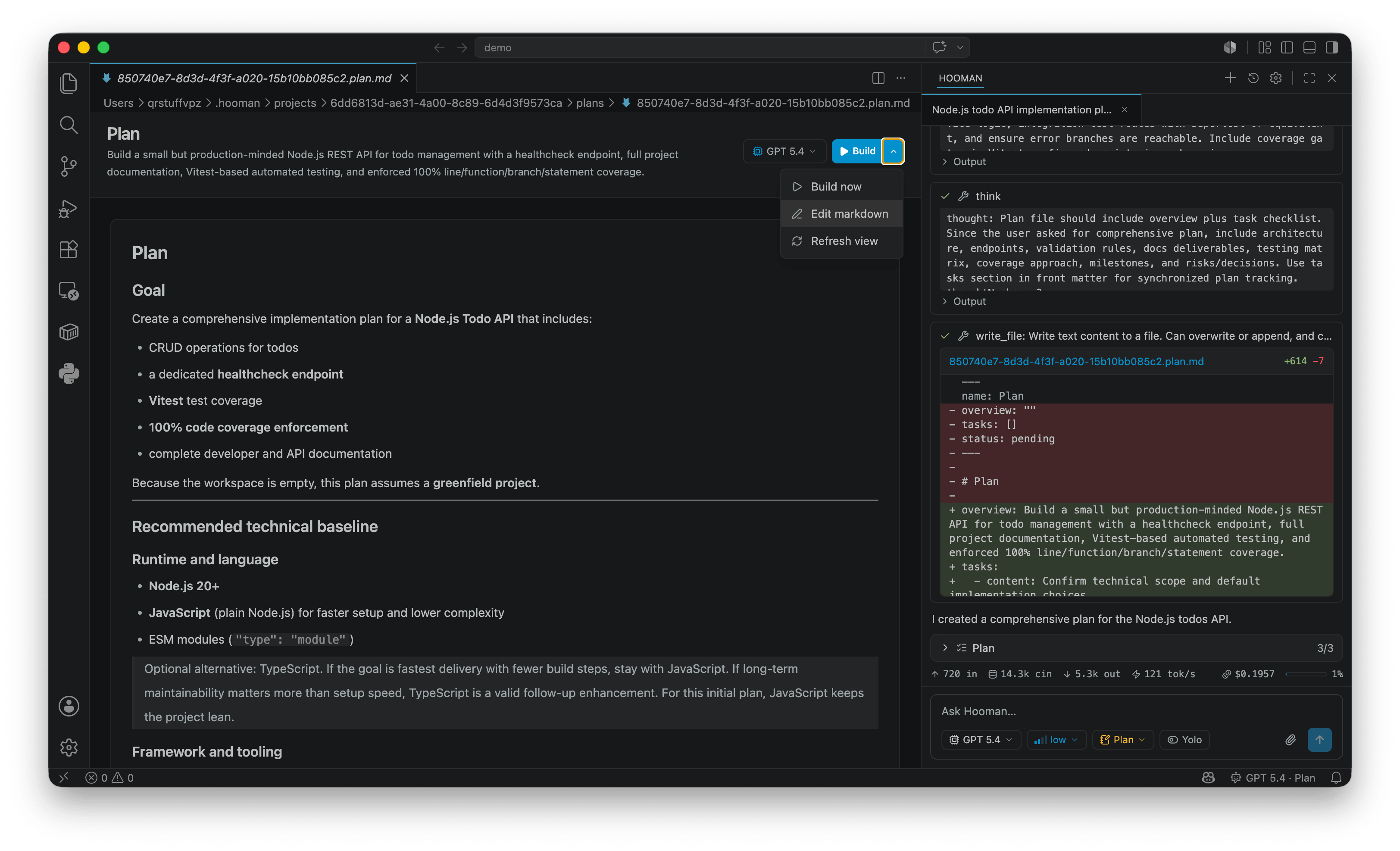
Plan mode is for scoping larger work before implementation. Hooman explores and drafts a Markdown plan document; it does not implement until you approve leaving plan (typically to Agent).
hooman chat --mode planOr /mode → plan in chat / VS Code.
Behavior
Section titled “Behavior”- Creates (or reopens) a plan file under
~/.hooman/projects/<uuid>/plans/ - Updates that plan every turn — structured frontmatter with
name,overview, andtasks tasksare an implementation checklist for later execution (not a log of planning activity)- No
shell,create_directory, ormove_file - Filesystem writes are scoped to the plan document; subagents stay read-only (
research,code-review,quality-analyst) - Leaving plan via
switch_modeis a proposal — you approve (start implementing) or decline (keep planning)
Plan file shape
Section titled “Plan file shape”---name: Short titleoverview: One-paragraph goal and scopetasks: - content: Add gitignore matcher helper status: pending - content: Register filesystem guard plugin status: pending---Task status is one of pending, in_progress, or completed. Prefer short imperative wording for each task.
In VS Code, *.plan.md opens in a dedicated plan editor (checklist + Mermaid in the body), and a plan checklist stays pinned above the transcript.
Related
Section titled “Related”- Modes overview
- Agent mode — where implementation continues after approval
switch_mode